Ever watched your entire client database vanish in the 3 seconds it takes to sneeze? Yeah. I lost two weeks of forensic analysis logs once because a RAID controller hiccuped during a thunderstorm—no backup, no redundancy failover. My coffee went cold. My palms? Not so much.
Fault tolerance isn’t magic—it’s engineering with humility. And even the most meticulously architected systems can crumble under cascading failures, human error, or yes, cosmic rays flipping bits in memory (yes, that’s a real thing). When they do, data recovery services aren’t just helpful—they’re existential.
In this post, we’ll cut through the vendor fluff and explore how fault tolerance intersects with real-world data loss scenarios—and why relying solely on architecture without a recovery plan is like building a life raft with duct tape. You’ll learn:
- Why fault tolerance ≠ immortality for your data
- How professional data recovery services operate when all else fails
- When to call experts vs. when DIY will dig you deeper
- Real case studies from enterprise and SMB environments
Table of Contents
- Why Fault Tolerance Isn’t Enough (And Never Will Be)
- How Data Recovery Services Actually Work: Beyond the Hype
- Best Practices: Bridging Fault Tolerance and Recovery Readiness
- Real-World Case Studies: From Near-Catastrophe to Full Restoration
- FAQs About Data Recovery Services
Key Takeaways
- Fault-tolerant systems reduce downtime but don’t prevent logical corruption, accidental deletion, or firmware-level failures.
- Professional data recovery services often succeed where software tools fail—especially with physical media damage.
- The average cost of data loss is $4.45 million per incident (IBM, 2023); recovery costs pale in comparison.
- Always verify a recovery provider’s cleanroom certification (ISO Class 5 or better) and chain-of-custody protocols.
Why Fault Tolerance Isn’t Enough (And Never Will Be)
Fault tolerance—the ability of a system to continue operating despite component failures—is foundational in modern data centers. Think RAID arrays, clustered databases, cloud auto-scaling groups. But here’s the uncomfortable truth: fault tolerance protects availability, not integrity.
You can have triple-redundant SSDs with checksum validation, yet still lose data to:
- Logical errors: Accidental
rm -rf /or SQLDROP TABLEwith no point-in-time restore - Firmware bugs: Like the infamous Samsung 840 EVO SSDs that corrupted data after prolonged idle periods
- Cascading failures: One node fails → load shifts → thermal throttling → second node crashes
- Ransomware: Encrypts data across all redundant copies simultaneously
According to the 2023 IBM Cost of a Data Breach Report, 83% of organizations experienced more than one breach in the past two years. Redundancy helps you stay online—but it won’t resurrect overwritten sectors or decrypt ransomware payloads.
Grumpy You: “So you’re telling me my $20K storage array can still ghost my tax records?”
Optimist You: “Only if you skip layered defense strategies. Let’s fix that.”
How Data Recovery Services Actually Work: Beyond the Hype
Forget Hollywood-style hackers typing green code. Real data recovery blends physics, forensics, and patience. Here’s how certified labs approach it:
Step 1: Triage & Failure Diagnosis
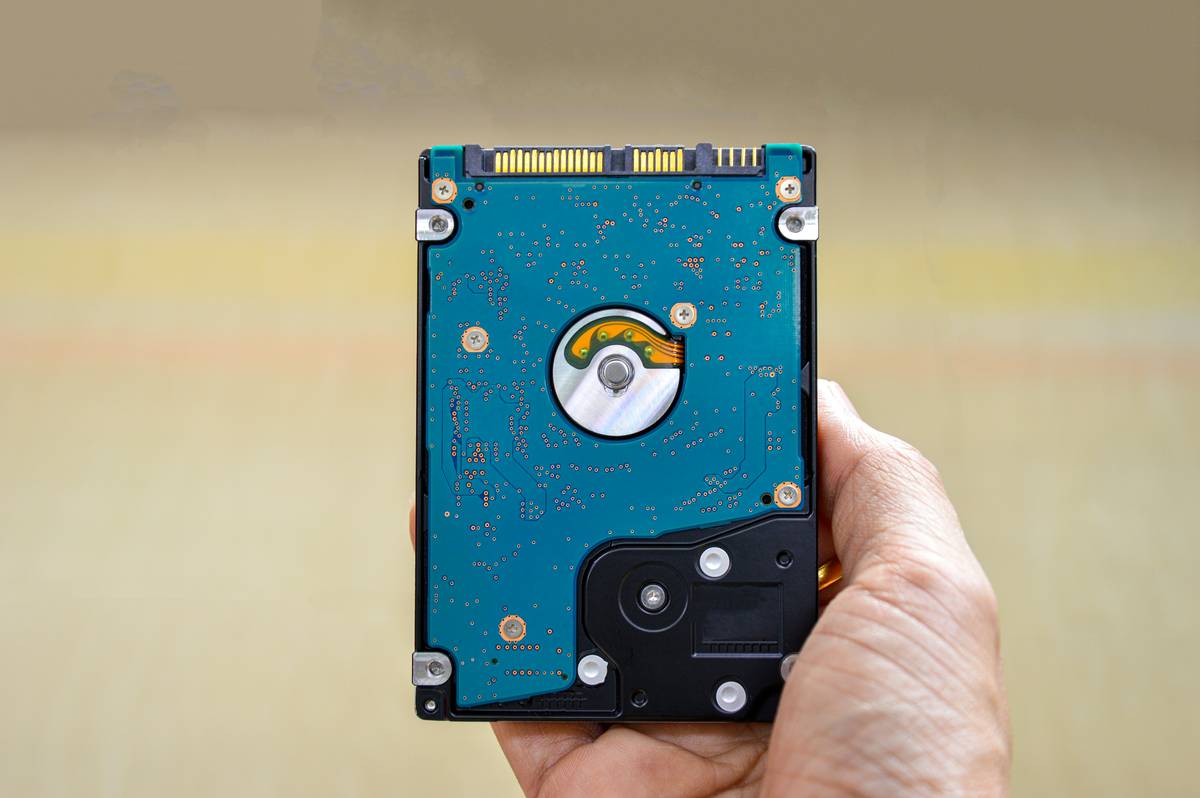
Is it logical (file system corruption) or physical (head crash, PCB burnout)? A reputable provider won’t touch your drive until they diagnose the failure mode—often using non-invasive imaging first.
Step 2: Cleanroom Intervention (If Needed)
For mechanical failures (clicking drives, burnt controllers), engineers work in ISO Class 5 cleanrooms—environments with fewer than 100 particles per cubic foot. One speck of dust can scratch platters permanently.
Step 3: Sector-by-Sector Imaging
Using hardware write-blockers, they create a bit-for-bit clone. No recovery happens on the original media—preserving evidence and preventing further damage.
Step 4: Logical Reconstruction
Specialized tools like PC-3000 or DeepSpar reconstruct RAID metadata, repair MFT tables, or reverse-engineer proprietary file systems (looking at you, Synology).
Confessional Fail: Early in my career, I handed a clicking drive to a “local tech” who opened it on his desk. Spoiler: It now holds zero recoverable data. Lesson learned—certifications matter.
Best Practices: Bridging Fault Tolerance and Recovery Readiness
Fault tolerance and data recovery aren’t rivals—they’re teammates. Here’s how to integrate them:
- Test your backups… by deleting something critical. If you haven’t restored from backup in 90 days, you don’t have a backup—you have hope.
- Classify data by recovery priority. Use RTO/RPO metrics: Can you afford 4 hours of downtime? 24? This dictates whether you need hot-site replication or cold-storage archives.
- Vet recovery providers before disaster strikes. Ask: Do they have ISO 27001 certification? Chain-of-custody logs? On-site cleanrooms?
- Avoid this terrible tip: “Just use free recovery software!” Most consumer tools worsen physical damage by forcing repeated read attempts on failing drives.
Rant Section: Why do vendors sell “unbreakable” NAS devices without mentioning that a single failed power surge can brick the entire unit if the PSU lacks surge protection? Stop selling resilience theater.
Real-World Case Studies: From Near-Catastrophe to Full Restoration
Case Study 1: The Law Firm That Lost 10 Years of Case Files
A mid-sized firm used RAID 1 mirroring (fault-tolerant!)—but never tested backups. During a Windows update, a driver bug corrupted both drives simultaneously. They called DriveSavers. Using donor drives and custom firmware patches, engineers recovered 98.7% of PST files within 72 hours. Cost: $2,400. Estimated litigation fallout avoided: $350K+.
Case Study 2: Manufacturing Plant’s SCADA System Crash
An industrial PC running legacy Siemens software suffered a dual SSD failure. No cloud backups (air-gapped for security). Gillware recovered the OS image from NAND chips using chip-off techniques—bypassing the dead controller entirely. Downtime: 11 hours instead of weeks.
These aren’t outliers. Per Backblaze’s Q1 2024 report, annualized drive failure rates hover around 1.5%—but in RAID sets, correlated failures spike risk during rebuilds.
FAQs About Data Recovery Services
How long does professional data recovery take?
Logical recoveries: 24–72 hours. Physical cases: 3–10 business days. Emergency rush services (24-hour turnaround) cost 2–3x standard rates.
Can encrypted drives be recovered?
Yes—but only if you provide the decryption key or password. Recovery services can’t bypass BitLocker/FileVault without credentials (and legally shouldn’t try).
What’s the success rate for water-damaged phones or drives?
About 65–70% if dried properly *before* powering on. Never plug in a wet device—that causes short circuits that fry flash memory.
Are cloud backups enough to avoid recovery services?
No. Cloud sync can propagate ransomware or accidental deletions. Always retain immutable, versioned backups offline (e.g., AWS S3 Object Lock or tape).
How much do data recovery services cost?
Logical: $300–$1,200. Physical: $800–$2,500+. Enterprise RAID: $2,000–$10,000+. Reputable firms offer free diagnostics and no-recovery-no-fee policies.
Conclusion
Fault tolerance keeps your lights on—but data recovery services bring your data back from the dead. In a world where hardware fails, humans err, and malware evolves, treating recovery as an afterthought is professional negligence.
Invest in layered defenses: redundant architectures, immutable backups, and pre-vetted recovery partners. Because when your server sounds like a dying lawnmower at 2 a.m., you’ll want experts—not algorithms—to answer the call.
Like a Tamagotchi, your data needs daily care… and an emergency vet on speed dial.
Platters spin in silence
Bits flee—then return with help
Recovery breathes life